
Skip to content
Robotics & Automation
Line simulation · Sahne

Try the investment in a 3D model of the factory, not on the floor.

Sahne runs your work orders machine by machine in a 3D model of your factory: utilisation, late jobs and the bottleneck become visible; change one thing and compare the result with today's setup.

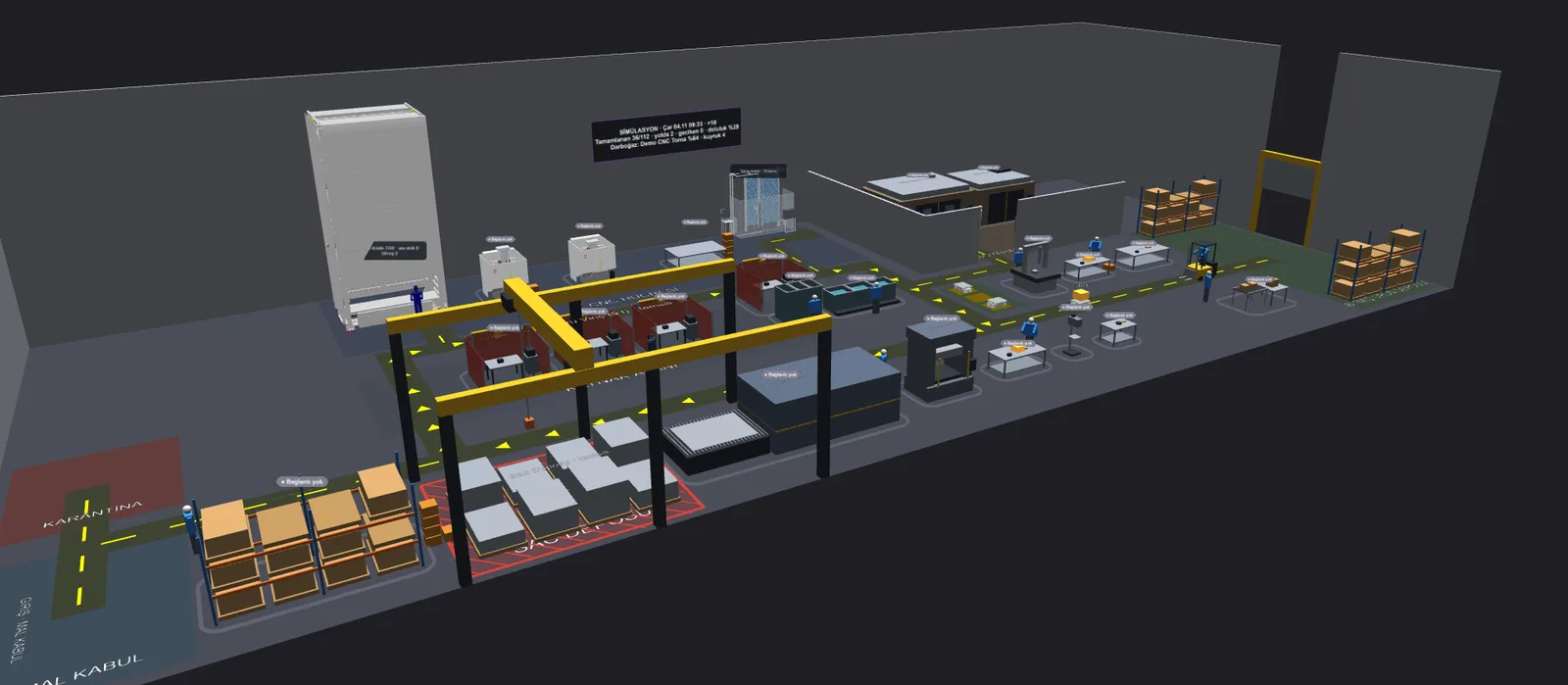
The SORA demo factory in Sahne: storage tower, CNC machines, welding area, crane, AMR lanes and racks
01

Work orders run in the 3D scene

The SORA demo factory runs 112 work orders and 565 operations: machines, welding booths, crane, AMRs, forklift and crews in one model. The panel shows utilisation, late jobs, work in progress and the bottleneck machine as it happens.

You can walk or fly through the factory, or explore it with a VR headset.

SORA demo factory, sample load; not order data.
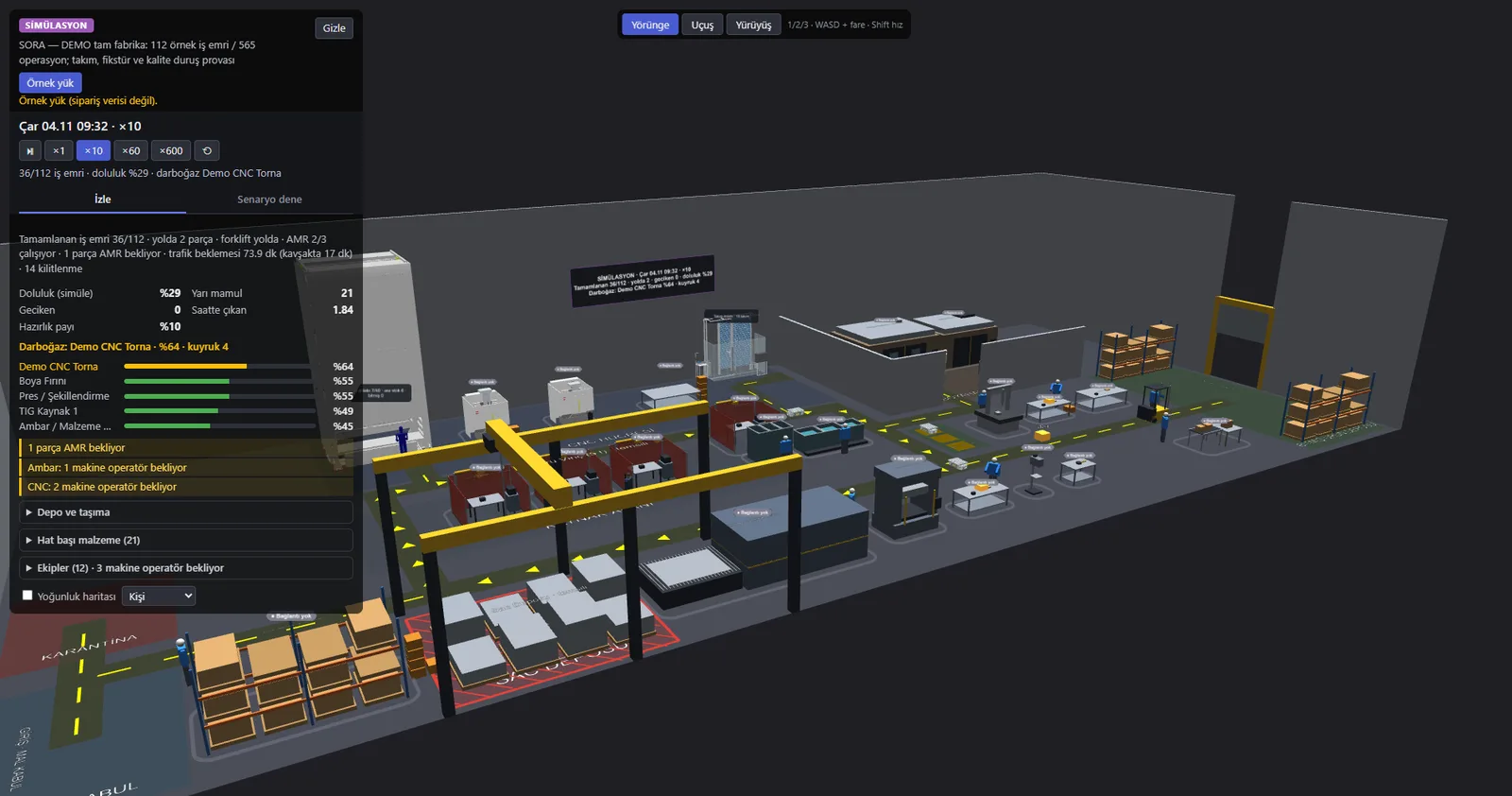
Sahne simulation panel: 112 work orders, utilisation, bottleneck machine list and the 3D production hall
02

Change one thing, compare

Ready-made scenarios run in one click: 4 or 2 AMRs, breakdowns, two shifts, 24/7, sequencing by due date. The result sits next to today's setup.

With the same sample load, moving to two shifts cut late work orders from 8 to 0 and average flow time from 20.9 to 6.0 hours. In the breakdown scenario (average of 20 runs) late work orders rose from 8 to 17.6. A fourth AMR changed nothing.

  • 8 → 0late work orders · two shifts
  • 20.9 → 6.0 haverage flow time · two shifts
  • 8 → 17.6late work orders · breakdowns (20 runs)

SORA demo factory, sample load; not order data.
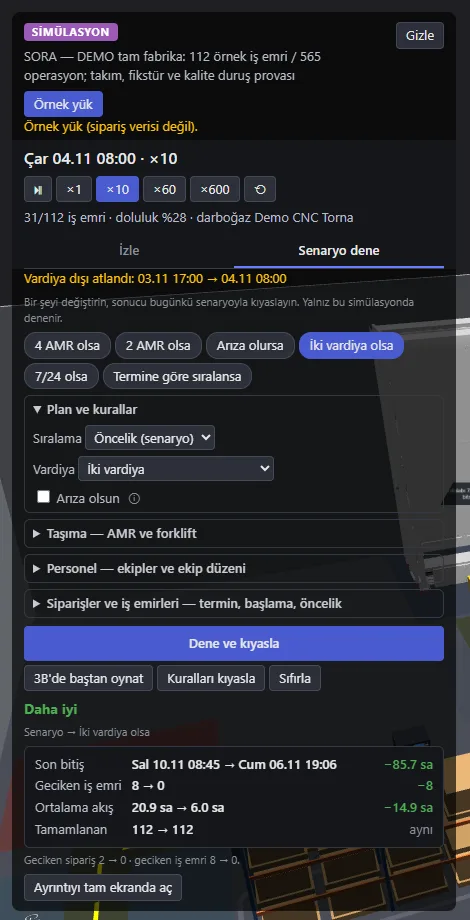
Sahne scenario panel: finish date, late work orders and average flow time in the two-shift scenario compared with today
03

With real data

The workload comes from ProCOST, BilTAY's production tracking software, and machine state from Kuklabaz. The simulation never writes back to production: what you try stays in the simulation.

Kuklabaz
Contact

Let's talk about this

Tell us about your line and your goal; we'll measure on site and get back to you.